SainSmart is one of the better-known names in the beginner desktop CNC market, largely through its Genmitsu line of CNC routers. The company has been operating since 2011 and introduced the Genmitsu 3018 CNC in 2018. Today, SainSmart sells CNC machines alongside 3D printers, laser engravers, electronics, tools, materials, and other maker products.
What Is SainSmart?
SainSmart's Background and Product Ecosystem
SainSmart’s current product ecosystem extends well beyond CNC.
Its catalog includes:
- Genmitsu desktop CNC routers
- Laser engraving equipment
- 3D printers and filament
- Milling and engraving bits
- CNC accessories and replacement parts
- Soldering and electronic tools
- Oscilloscopes, multimeters, and other instruments
- Open-source hardware and components
SainSmart currently says it serves customers in more than 80 countries and has more than 700 products in its catalog.
Why SainSmart Appeals to Beginners
The biggest attraction is the relatively low barrier to entry.
A Genmitsu 3018-style machine is compact, comparatively inexpensive, and designed around common GRBL-based CNC workflows. SainSmart also provides manuals, setup guides, software resources, troubleshooting information, and project tutorials through its Resource Center.
What Products Does SainSmart Offer?
Genmitsu CNC Machines
Genmitsu is SainSmart’s flagship CNC brand.
The range spans small entry-level machines such as the 3018 series to larger and more capable machines such as the 3030, 4040, and PROVerXL models. SainSmart’s current catalog also includes newer machines such as the Cubiko and larger-format CNC equipment.
3D Printers, Laser Engravers, and Maker Tools
SainSmart also sells 3D printing equipment and materials, laser engravers, electronics, and other workshop tools.
This can be useful if your projects involve several fabrication methods. For example, you might use a 3D printer for fixtures, a CNC for wooden or plastic parts, and a laser for surface engraving.
Why Choose a SainSmart CNC Machine?
Affordable Entry Into CNC
The 3018 category has traditionally occupied the lower end of the desktop CNC market. SainSmart’s buyer information has historically placed its 3018 machines roughly in the $150–$300 range, although actual prices vary by model, bundle, region, promotions, and availability.
Beginner-Friendly Design and Learning Resources
The Genmitsu ecosystem has another important advantage: documentation.
SainSmart maintains dedicated resource pages containing manuals, assembly information, software instructions, G-code examples, GRBL information, troubleshooting guides, bit-selection resources, and project tutorials.
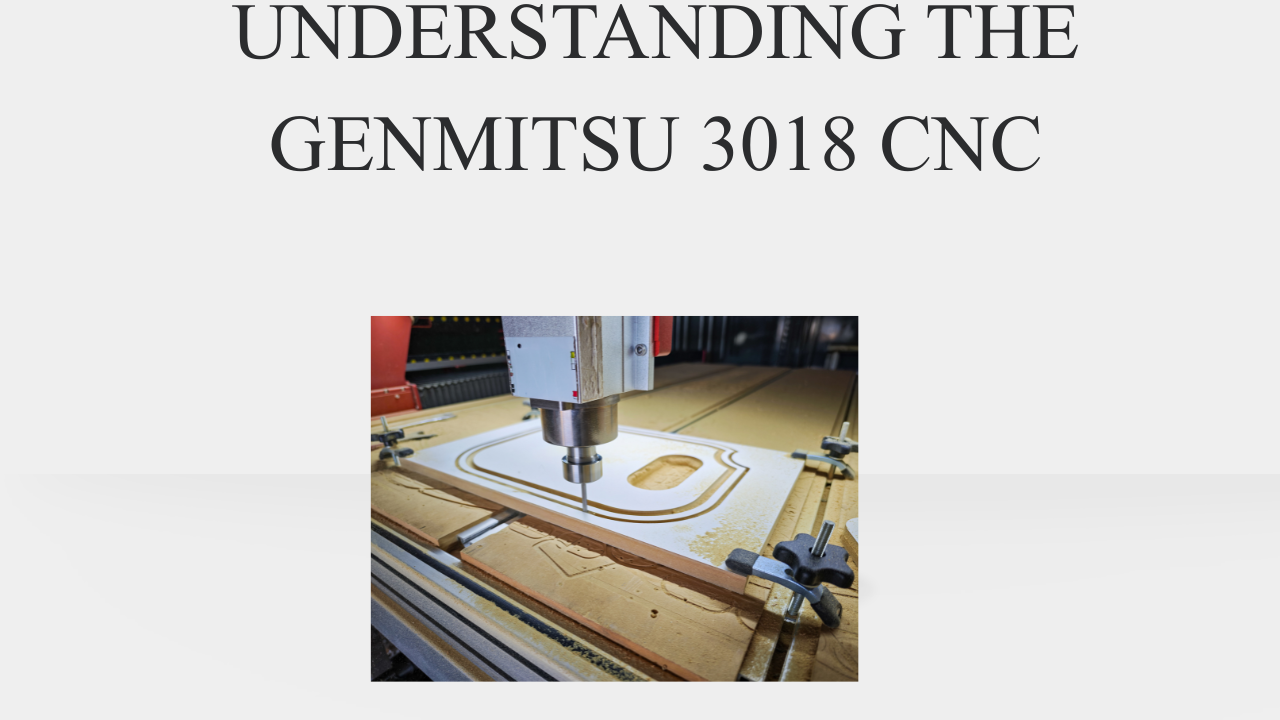
Understanding the Genmitsu 3018 CNC
What the Genmitsu 3018 Can Do
A 3018 can be used for projects such as:
- Wood engraving
- Small wooden signs
- Decorative carving
- Acrylic engraving
- Plastic machining
- PCB engraving
- Wax machining
- Small prototypes
- Relief carving
- Some light-duty soft-metal work with suitable settings and machine configuration
SainSmart’s own buyer guide describes Genmitsu machines as suitable for materials ranging from wax to wood and, with appropriate setup and configuration, soft metals such as aluminum.
Working Area, Materials, and Performance Limits
The current 3018-PRO has a listed working area of approximately 300 × 180 × 45 mm (11.8 × 7.1 × 1.8 inches). The 3018-PROVer V2 is listed at 290 × 180 × 40 mm (11.4 × 7.1 × 1.6 inches).
Those dimensions are small.
That makes the 3018 convenient for desktop work, but it also limits what you can manufacture.
A 3018 is a good fit for a small sign or engraved plaque. It isn’t a sensible choice for cutting full-size cabinet panels.
SainSmart 3018-PRO vs 3018-PROVer V2
The SainSmart 3018-PRO and SainSmart 3018-PROVer V2 look similar at first glance, but there are meaningful differences.
Feature | 3018-PRO | 3018-PROVer V2 |
Working area | 300 × 180 × 45 mm | 290 × 180 × 40 mm |
Assembly | Under 2 hours | About 20–35 minutes |
Control board | 8-bit | 32-bit |
Frame | Aluminum | Aluminum |
Spoilboard | T-slot aluminum profile | One-piece machined/molded aluminum |
Emergency stop | Not pre-installed | Included |
Limit switches | Not included in standard comparison | Included |
Z-probe | Not included | Included |
MPG port | No | Yes |
Laser port | No | Yes |
Air-assist pump port | No | Yes |
Jog wheels | No | Yes |
Offline controller | Included | Optional |
Software | Candle/GRBLControl | Candle/GRBLControl |
These specifications come from SainSmart/Genmitsu’s current comparison information.
Key Differences Between the Two Models
The biggest difference isn’t simply working area.
The 3018-PROVer V2 is much more pre-assembled and feature-rich.
SainSmart lists a 32-bit controller, pre-installed emergency stop, X/Y limit switches, cable management, a Z-probe, a laser port, an air-assist port, and other convenience features. Its stated assembly time is about 20–35 minutes.
The 3018-PRO, by comparison, is the more basic machine. It has a slightly larger nominal working area, but it lacks many of the convenience and safety-related features included with the V2.
Which Model Is Better for Beginners?
For most first-time buyers, the 3018-PROVer V2 is the easier recommendation if the price difference is reasonable.
You are paying for convenience and a more modern control system rather than simply additional cutting power.
The pre-assembled components reduce setup time, while the limit switches, emergency stop, Z-probe, and additional ports make the overall machine easier to expand and operate.
The 3018-PRO can still make sense if you specifically want the simpler, lower-cost platform and don’t mind assembling and configuring more of the machine yourself.
How Much Does a SainSmart CNC Cost?
Accessories and Upgrades to Budget For
The most useful first purchases are usually boring rather than glamorous.
A good set of bits can have a bigger effect on your results than an expensive electronic upgrade.
Consider budgeting for:
- V-bits
- Flat end mills
- Ball-nose bits
- Small finishing bits
SainSmart maintains a dedicated accessories ecosystem that includes spoilboards, spindle upgrades, dust shoes, offline controllers, control boards, and milling bits.
Machine Price vs Total Ownership Cost
The machine is only one part of your budget.
A realistic beginner budget should account for consumables and basic accessories.
For example, you may need:
- CNC machine
- Cutting bits
- Workholding clamps
- Waste/spoil material
If your goal is to start selling products, the budget should also include packaging, finishing equipment, material waste, maintenance, and the value of your time.
A cheap machine doesn’t automatically produce cheap finished products.
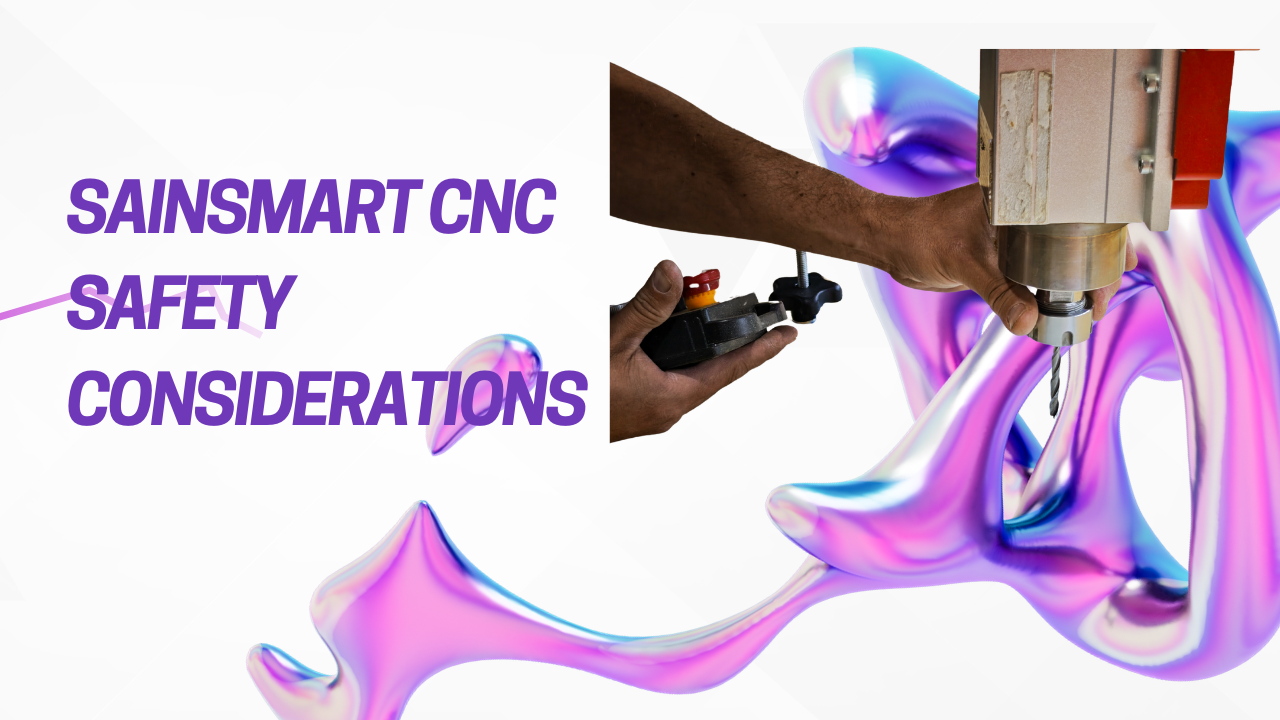
SainSmart CNC Safety Considerations
A desktop CNC is still a machine tool.
Small size does not mean small risk.
Protecting Yourself From Dust and Cutting Tools
CNC routers involve rapidly rotating cutting tools and material chips.
Basic precautions include:
- Wear appropriate eye protection
- Keep hands away from moving tools
- Never reach into the machine while the spindle is running
- Secure the workpiece
Dust is also a major consideration.
Wood dust can irritate the respiratory system, while some plastics and other materials can produce undesirable particles when machined.
Workspace, Ventilation, and Machine Safety
Give the machine a dedicated, stable workspace.
The surface should be sturdy enough that the machine doesn’t move or vibrate excessively.
You should also have enough room to access the emergency stop, inspect the workpiece, change tools, and clean chips.
If you’re using a compatible laser module, safety requirements become even more important. Laser operation requires appropriate eye protection, shielding/enclosure considerations, ventilation, fire precautions, and material compatibility.
Never assume that a CNC’s physical size makes it safe to operate casually.
SainSmart Customer Support and Parts Availability
A major advantage of buying an established ecosystem rather than an anonymous generic machine is support.
SainSmart maintains a Resource Center with CNC setup guides, troubleshooting articles, software documentation, manuals, and other technical resources.
Replacement Parts and Accessories
Parts availability is particularly important for a CNC.
Eventually, components can wear out.
SainSmart sells replacement components for Genmitsu machines, including control boards and other machine-specific parts. For example, the company currently lists a replacement control board specifically for the 3018-PROVer V2.
Community Support and Tutorials
SainSmart also maintains community resources and tutorials.
Its 3018-PROVer V2 resource page includes assembly documentation, Candle installation instructions, G-code examples, GRBL information, first-project guides, bit-selection information, Fusion 360 resources, Easel resources, and troubleshooting material.
Is SainSmart Suitable for Small Businesses?
It can be—but you need to define “small business” carefully.
A 3018 can be useful for prototyping, personalization, and small-batch work.
Prototyping and Small-Batch Production
Possible business applications include:
- Custom nameplates
- Small signs
- Personalized gifts
- Wooden ornaments
- Prototypes
- Small product components
- PCB-related work
- Custom engraving
- Jigs and fixtures
A low-cost CNC can be valuable when your products are small and orders are relatively limited.
Production Limitations to Consider
Production changes the equation.
If a customer expects you to produce dozens or hundreds of identical parts every day, machine speed and reliability become much more important.
A 3018’s small working area and limited rigidity can become bottlenecks.
You also need to account for:
- Setup time
- Tool changes
- Material loading
- Workholding
- Dust removal
- Tool wear
- Machine maintenance
- Failed cuts
- Operator time
For a serious production business, a larger, more rigid CNC can quickly become more economical even if its initial purchase price is much higher.
Final Buying Recommendation
SainSmart’s Genmitsu range makes sense for people who want to learn CNC, create small projects, prototype parts, or experiment with digital fabrication without immediately investing in a large professional machine.
Who Should Buy SainSmart?
A SainSmart/Genmitsu CNC is a strong candidate for:
- CNC beginners
- Hobbyists
- Makers
- Students
- Educators
- DIY enthusiasts
- Small-scale prototypers
- People learning CAD/CAM and CNC
- Small businesses producing relatively small personalized items
It is less appropriate for someone who already knows they need high-speed production, a large cutting area, or heavy-duty metal machining.
How to Choose the Right Model
A simple rule of thumb is:
- Choose a 3018 if you’re learning and making small projects.
- Choose a larger Genmitsu if you need more workspace, rigidity, or production capability.
And if you’re completely new to CNC, prioritize ease of setup and support over specifications that you may not yet understand.
The best beginner CNC isn’t necessarily the machine with the most powerful spindle or largest feature list. It’s the one you can afford, safely operate, understand, and use often enough to build real skills.
Conclusion
SainSmart has built its reputation around making maker equipment more accessible, and the Genmitsu CNC line is a good example of that philosophy.
The 3018 family won’t replace a professional CNC router. Its workspace is small, its lightweight construction limits aggressive machining, and there is a genuine learning curve involved.
Frequently Asked Questions